
Remove an accounting firm
Revoke a firm connection and stop access for everyone assigned through that connection.
- Who can do this
- Business owners or the connected firm owner
- Where
- Settings, then People & access
Either a business owner or the firm owner can revoke a firm connection.
Revoke from the business
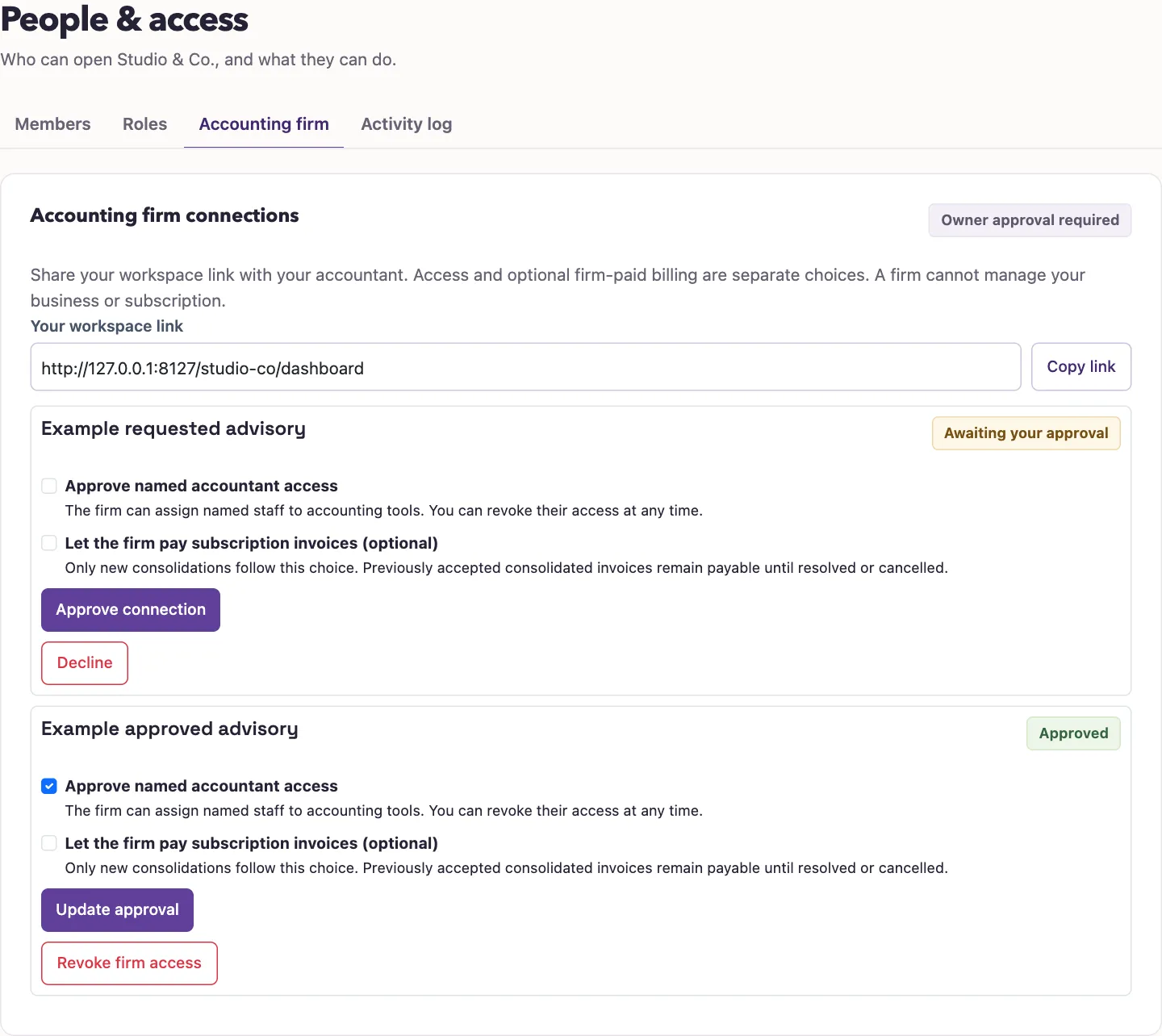
- Open Settings, People & access, Accounting firm.
- Find the approved firm connection.
- Select Revoke firm access.
The connection changes to revoked and assigned staff lose their membership through it. A pending request has Decline instead; selecting it also marks that request revoked.
Revoke from the firm workspace
- Sign in as the firm owner, select Accounting firms on the business list, then select Open firm beside the firm.
- Find the business in Client businesses.
- Select Revoke firm connection.
To remove only one accountant while keeping the connection, select Revoke assignment beside that person instead. To remove a colleague from the whole firm, see Join and manage a firm team.
What happens next
Revocation does not cancel invoices already accepted into a consolidation. The firm can still need to resolve or pay those invoices. See firm billing for cancellation before payment starts.
Access does not return automatically. The firm owner must request the connection again, the business owner must approve it again, and the firm must assign staff again. Follow Connect an accounting firm to restore access.
Good to know
Revocation removes the connection’s assigned accountants from that business and turns off its optional permission for new firm-paid invoice consolidations.