
Connect an accounting firm
Approve a firm connection and choose separately whether the firm may pay subscription invoices.
- Who can do this
- Business owners
- Where
- Settings, then People & access
- You'll need
- A firm connection request; approve named accountant access before the firm can assign people
On this page
An owner approves a firm before it can assign named accountants to the business. Firm accountants do not use internal user places.
Share your workspace link
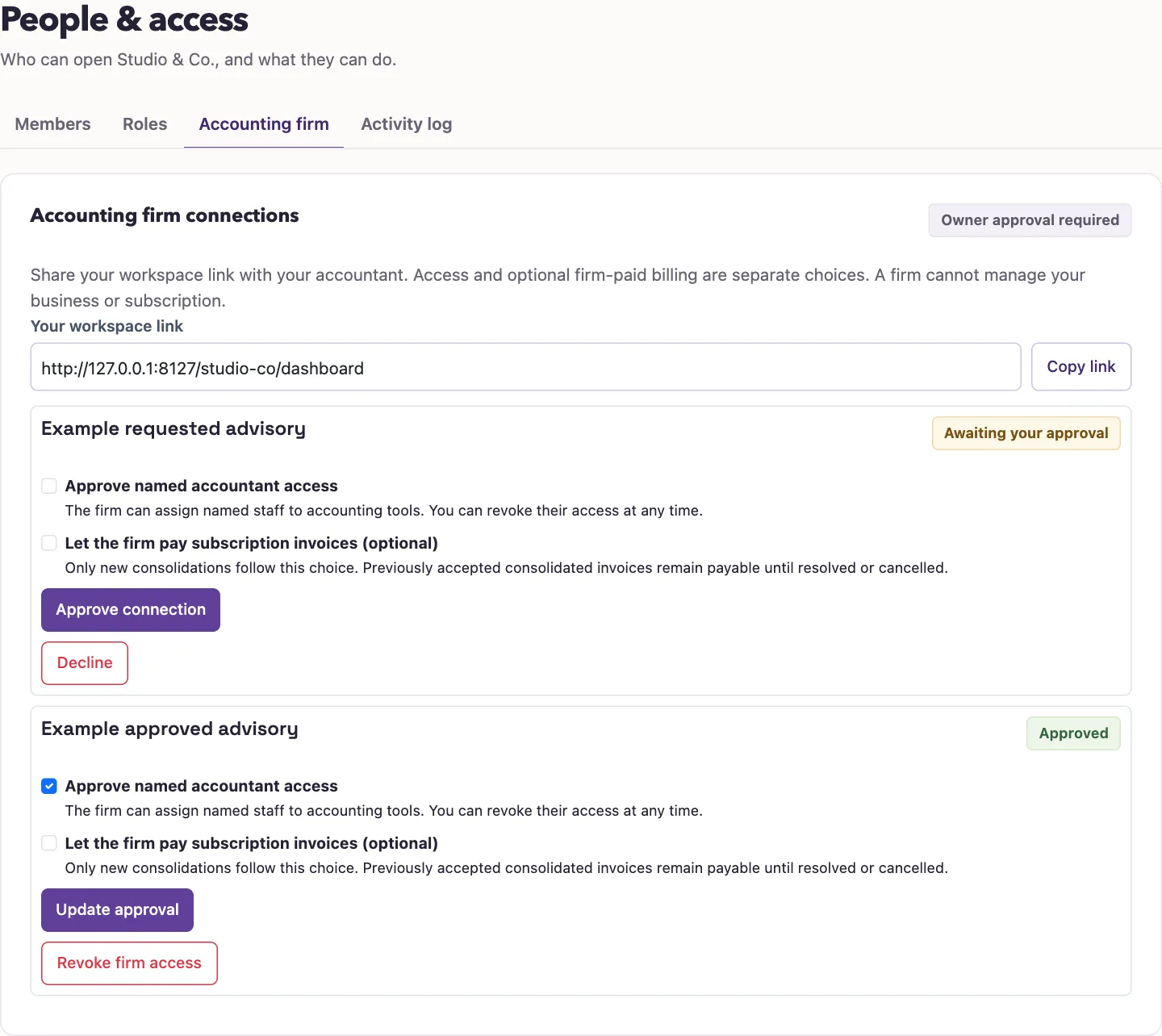
- Open Settings, People & access, Accounting firm.
- Find Your workspace link.
- Select Copy link.
- Share the link with your firm.
The firm owner uses that link to request a connection from the firm workspace. If No firm requests yet appears, there is nothing to approve until the firm sends its request.
Approve the request
- Find the firm under Accounting firm connections.
- Check Approve named accountant access.
- Optionally check Let the firm pay subscription invoices (optional).
- Select Approve connection.
The firm owner must now assign each accountant by name. Only active firm members with valid assignments can enter your books. The accountant access preset does not make them business owners or let them manage your subscription.
Change billing permission
For an approved connection, change the optional billing checkbox, check the access consent, and select Update approval. The change applies to new invoice consolidations. Previously accepted consolidated invoices remain payable until resolved or canceled.
You can also select Decline on a pending request. To stop existing access, remove the firm connection.
Good to know
Approval alone does not assign anyone, and permission to pay invoices is a separate choice.