
Read the dashboard
Understand which dashboard figures use your selected period and which show outstanding work.
- Who can do this
- Active business users; each figure and action needs its own viewing or action permission
- Where
- Dashboard
On this page
Dashboard summarizes accounting activity in a General business. Select it in the sidebar. You need access to that business. Owners see all figures; other users see only the figures their permissions allow. Hidden figures are omitted from the page and chart data. Links still require permission for their destination.
In Nonprofit, the sidebar has Overview, and the old dashboard address opens that page. Before mapping approval it shows Finish setup. Follow Use your Nonprofit overview for its figures and access checks. The dashboard controls below apply to General.
Choose the period
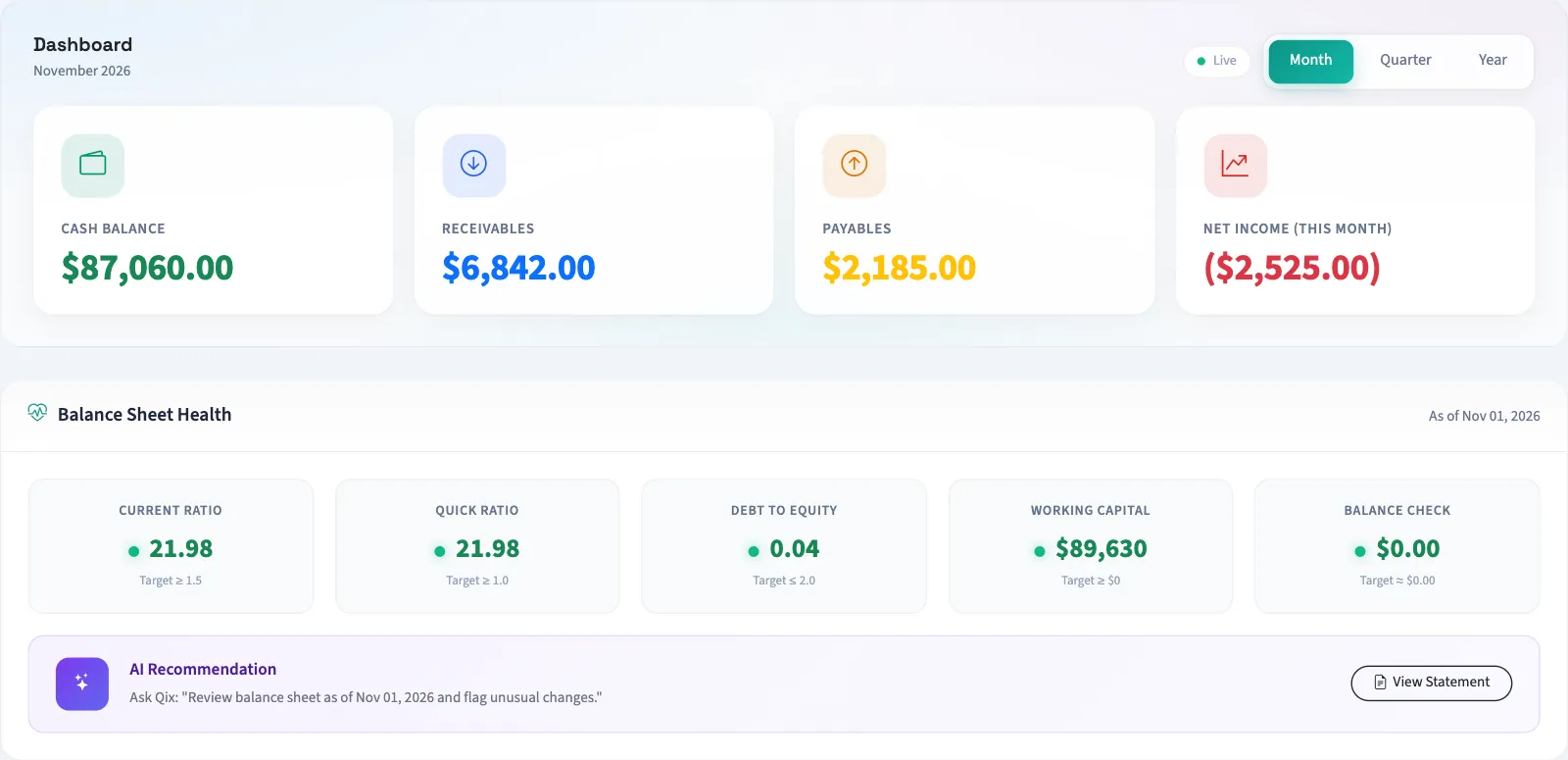
Select Month, Quarter or Year. Month means the current calendar month, quarter means the current calendar quarter, and year uses the configured fiscal year. The date label below the heading identifies the selected range.
The selection changes net income, revenue and expense activity, and the cash flow chart. It does not restrict every figure on the page.
| Figure | What QixCount includes |
|---|---|
| Cash Balance | Balances of all cash and bank accounts, including inactive accounts, across posted history. |
| Receivables | Balances due on sent, viewed, partial and overdue invoices. |
| Payables | Balances due on pending, partial and overdue bills. |
| Net income | Posted revenue less posted expenses for the selected period, excluding closing entries. |
| A/R Aging | Outstanding invoice balances grouped by due date relative to today. |
| A/P Aging | Outstanding bill balances grouped by due date relative to today. |
Cash balance needs account viewing access. Receivables and A/R aging need invoice viewing access; payables and A/P aging need bill viewing access. Net income, revenue and expense charts, and balance sheet health need financial report access. The cash flow chart needs both customer and bill payment viewing access. Recent activity and action items follow their own record viewing permissions.
The Cash Flow chart uses received and made payments dated in the period, excluding voided payments. It is a payment summary. Opening the cash flow report lets you inspect that report's calculation separately.
Follow up on the figures
Balance Sheet Health uses today's date and displays ratios, working capital and a balance check. View Statement opens the balance sheet. Ratio colors and targets are indicators shown by the product; they do not replace a review of the underlying books.
Recent Activity lists recent invoices, bills and received payments. Action Required links to overdue invoices, bills due within seven days, unreconciled bank transactions, reconciliations in progress and draft journal entries when present. Quick Actions opens invoice, bill and journal entry forms.
If figures seem out of date
The page displays Live, but its financial data can be cached for five minutes. Reopen the page after that interval if a change is missing. Compare the same dates and check whether the relevant journal entry is posted.
Continue with Accounting basics for owners.