
Create your account and start a trial
Create your sign-in, accept a plan and set up your General or Nonprofit workspace.
- Who can do this
- People creating their QixCount account
- You'll need
- An unused email, a password of at least eight characters, and acceptance of the current plan terms
On this page
Create your sign-in
Open /register on your QixCount site. It starts with General, monthly billing and the first plan. To change these, open Edit organization & plan and apply your choice before you enter your details.
- Enter Your full name.
- Enter Email address using the address you want to sign in with.
- Enter the optional business or organization name and phone, if wanted.
- Select Continue to secure account.
- Enter Password and Confirm password with matching values.
- Review the selected edition, plan, billing period and trial terms.
- Complete the verification challenge if one appears.
- Select Create account.
The email address must be unused in QixCount. The form displays a minimum password length of eight characters. Without the step controls, complete both form sections before creating the account.
Create the workspace
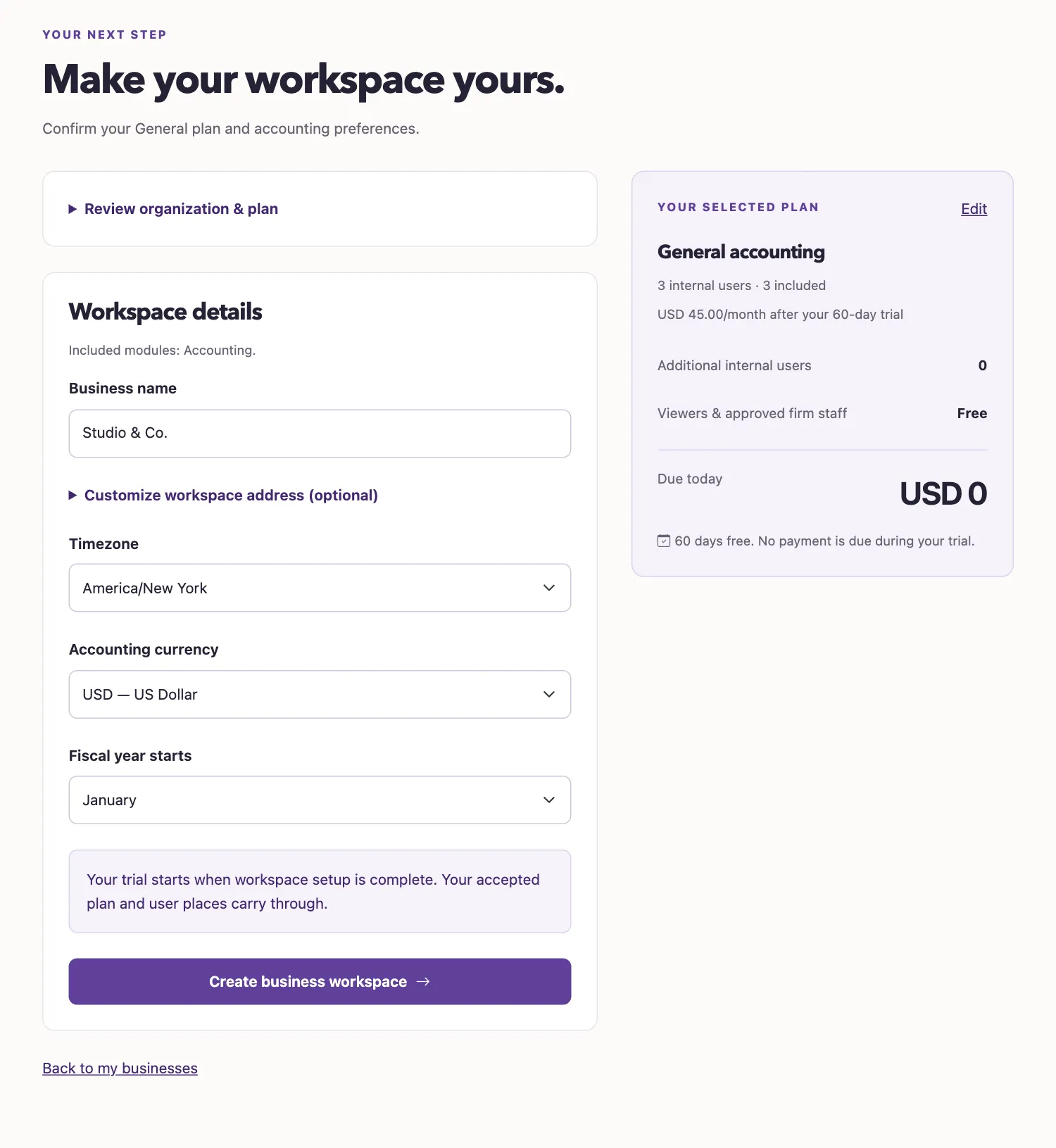
- Review the accepted organization and plan selection.
- Select Accept plan and continue if the page asks you to accept current terms.
- Enter Business name or Organization name.
- Choose Timezone.
- Review Accounting currency and Fiscal year starts.
- Select “Create business workspace” for General or “Create organization workspace” for Nonprofit.
Leave Workspace identifier blank to generate the address from the name. To enter your own, expand Customize workspace address (optional). A custom identifier allows lowercase letters, numbers and hyphens, must be unused, and cannot use a reserved address. Accounting currency is USD on this form.
What happens next
The business list shows Setting up... while setup is pending. An offered trial starts when workspace setup finishes. A plan without a trial may require subscription payment before entry. See Your trial, then follow Your first week or Your first week with Nonprofit.
Troubleshooting
If your selection expired or terms changed, review and accept the current plan again. Your workspace details can be retained while you do this.
Good to know
An account is your QixCount sign-in.
A workspace holds one business or organization's books. You create your sign-in first, then finish the workspace details.
Who can do this and what you need
Choose General or Nonprofit and review the current pricing page. Trial availability and length depend on the selected plan. Use the terms shown during signup.