
Switch between businesses
Choose another business and confirm which books you are working in.
- Who can do this
- People with access to more than one business
- Where
- Switch business
One QixCount account can belong to several businesses. Each business has its own workspace, edition and access. Switching changes the workspace you are viewing; it does not copy records between businesses.
Choose another business
- Select the business name at the top of the sidebar.
- Select Switch business.
- Find the business on the business list.
- Select Enter on its card.
You land on that business's overview. Check the name at the top before opening accounting pages or creating a record. Your role can differ between businesses, so a page you use in one may be unavailable in another.
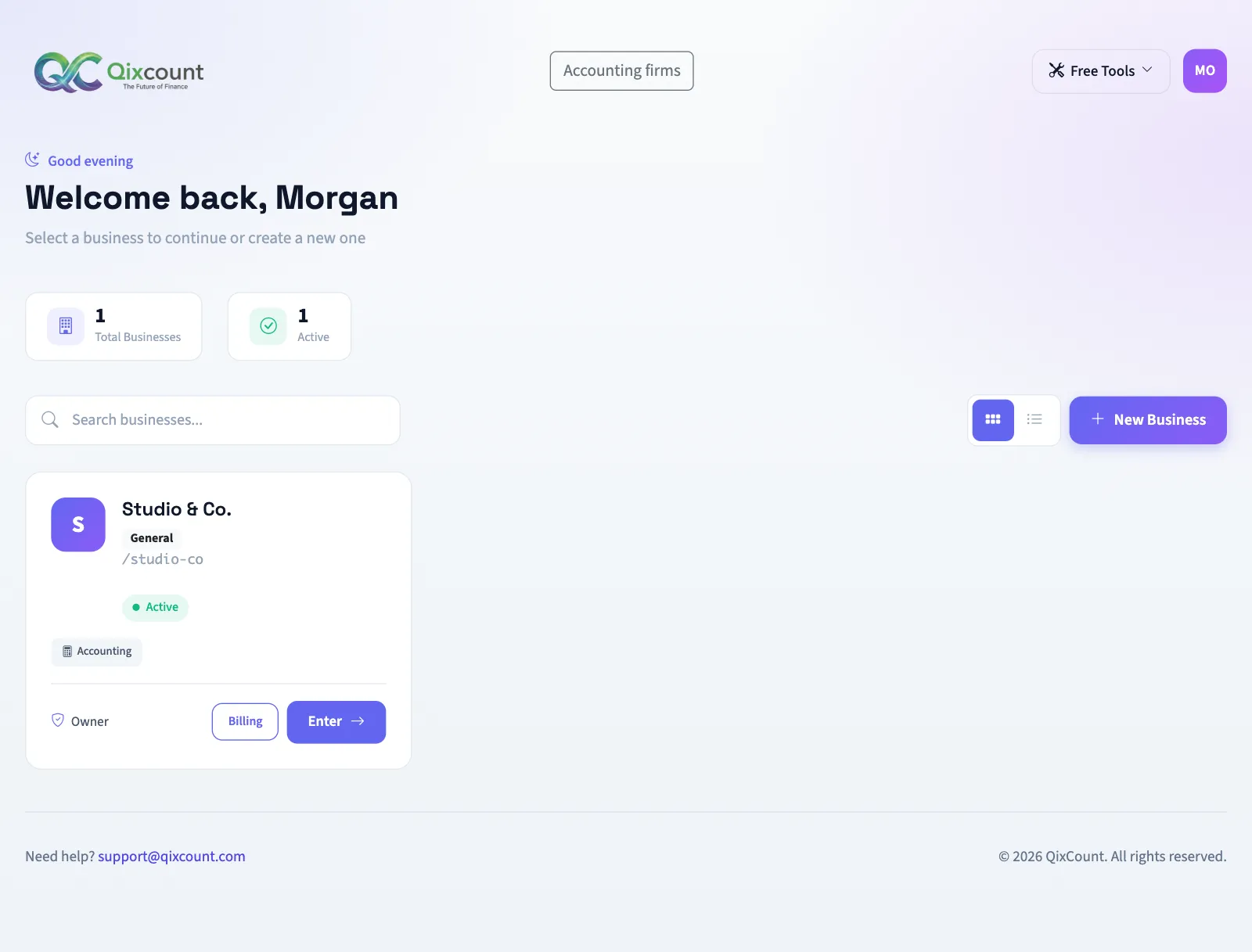
Find the right card
Enter part of the name or workspace identifier in Search businesses... to filter the cards. Clear the search to show the list again. Each card shows its edition, status and your role.
If you see no businesses, the page offers Create Your First Business. New Business starts a separate workspace setup when you already have businesses. See Create your account and start a trial for the workspace details.
If you cannot enter
| Control or message | What it means |
|---|---|
| Enter | The business is active and its signup subscription permits access. |
| Setting up... | Workspace setup is still pending and entry is unavailable. |
| Pay subscription | A pending, sent or failed subscription invoice is available for payment. |
| Suspended | Entry is unavailable. Contact the owner or support. |
The owner can also see Billing on an active business card. A business missing from your list may require a new invitation or restored access; ask its owner to check your membership.
Continue with Find your way around once you enter the intended business.