
Reverse a journal entry
Correct a posted manual journal with a separate entry that swaps its debits and credits.
- Who can do this
- Owners, or people with Reverse posted entries and View journal entries
- Where
- Books, then Journal entries
- You'll need
- Advanced accounting turned on in Features; a posted original that has not already been reversed
On this page
A reversal leaves the original journal in place and posts a separate entry with every debit and credit swapped.
Reverse a posted manual journal
WarningReversing posts another entry that affects the books. The screen does not let you reverse a reversal entry.
- Open Books, then Journal entries.
- Select the posted entry number.
- Review the original accounts and amounts.
- Select Reverse Entry.
- Enter Reason (optional) if needed, up to 500 characters.
- Select Reverse Entry in the dialog.
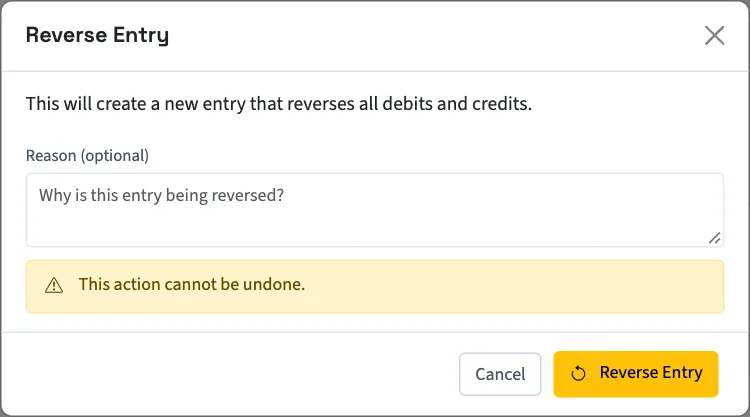
What happens next
QixCount opens the new posted reversal. Its reference starts with REV-, followed by the original reference. The original now shows Reversed and links to its Reversal Entry. The new entry links back through Original Entry. Their effects fall on their respective accounting dates.
Reversing a matched journal releases its bank match. Check and match the bank record again; an automatically matched record returns for review, while a reconciled record stays reconciled. A journal created by adding the bank record to the books stays linked as history. This release applies to corrections made from this change onward; matches on records reversed or voided earlier stay as they were.
If a corrected journal is needed, create a new entry after reviewing the reversal.
Nonprofit source transactions
These steps describe ordinary manual journals. Nonprofit journals linked to payments, gifts, grants, restrictions, invoices, or bills have source-specific correction checks. The action may direct you to the original document or require its reviewed undo process. Payment journals direct you to Void Payment; grant and restriction journals require their source review forms. Follow the message on that source record instead of creating an unrelated journal to bypass it.
Next, check posting blocks if the reversal cannot post.
Good to know
The standalone journal screen uses Reverse Entry for this correction; it has no void action for a manual journal.
Who can do this and what you need
Owners can reverse entries. Other active business users need Reverse posted entries, plus View journal entries to open the original. Standard access for an assigned accountant from an approved firm does not include reversing.
If Journal entries isn't in the sidebar, someone with settings access can turn on Advanced accounting in Features.
The original must be posted, must not already be reversed, and must not itself be a reversal. A manual journal's reversal uses today's date and must pass posting checks for that date.