
Add an account
Create an account with a unique code, an account type, and an optional parent account.
- Who can do this
- Owners, or people with Create accounts and View chart of accounts
- Where
- Books, then Chart of accounts
- You'll need
- Advanced accounting turned on in Features
Add an account when you need another category in your chart of accounts. Creating an account does not create a journal entry or an opening balance.
Create the account
- Open Books, then Chart of accounts.
- Select New Account.
- Under Choose Account Type, select the account's category.
- Enter a unique Account Code, up to 20 characters.
- Enter an Account Name, up to 255 characters.
- Select an optional Detail Type from the choices for that category.
- Select an optional Parent Account to create a sub-account. The create form lists active top-level accounts and filters them to your selected type.
- Enter an optional Description, up to 500 characters.
- Choose whether Active is on. It is on by default.
- Select Create Account.
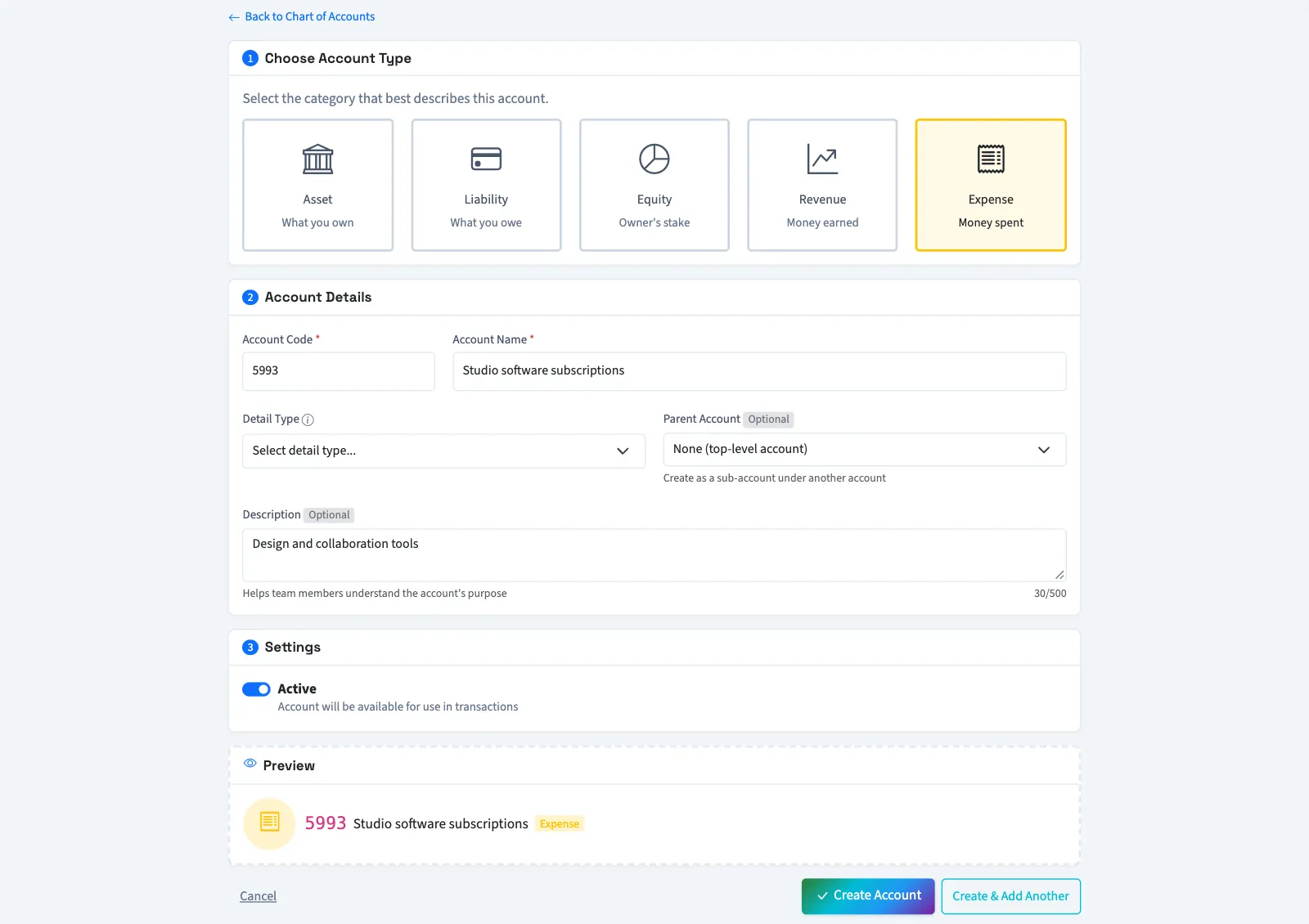
To save this account and return to a blank form, select Create & Add Another in the last step instead.
What happens next
QixCount saves the account and returns to the chart. Active accounts are available when you create a manual journal. QixCount sets the account's normal balance from its type and detail type when it is created; see account types and normal balances.
Next, create a journal entry or edit an account.
Troubleshooting
If the code is already used, enter a different code. A detail type must belong to the selected account type. Selecting a new type changes the available detail types.
To add accounts from CSV, import a chart of accounts.
Who can do this and what you need
Owners can create accounts. Other active business users need Create accounts permission and View chart of accounts to return to the list. Assigned accountants from an approved firm have both permissions.
If Chart of accounts isn't in the sidebar, someone with settings access can turn on Advanced accounting in Features.