
Find your way around the chart of accounts
Find an account, review its posted activity, and understand the account list.
- Who can do this
- Owners, or people with View chart of accounts
- Where
- Books, then Chart of accounts
- You'll need
- Advanced accounting turned on in Features
On this page
The chart of accounts is the list of accounts used to organize your books. QixCount groups them into assets, liabilities, equity, revenue, and expenses. Sub-accounts appear beneath their parent account.
Owners can view the chart. Other active business users need View chart of accounts permission. Assigned accountants from an approved firm have this permission.
Open the chart
Select Books, then Chart of accounts. If you have chart access but the menu row is hidden, a user with Manage business settings, roles & permissions permission can open Settings, select Features, turn on Advanced accounting, and select Save changes.
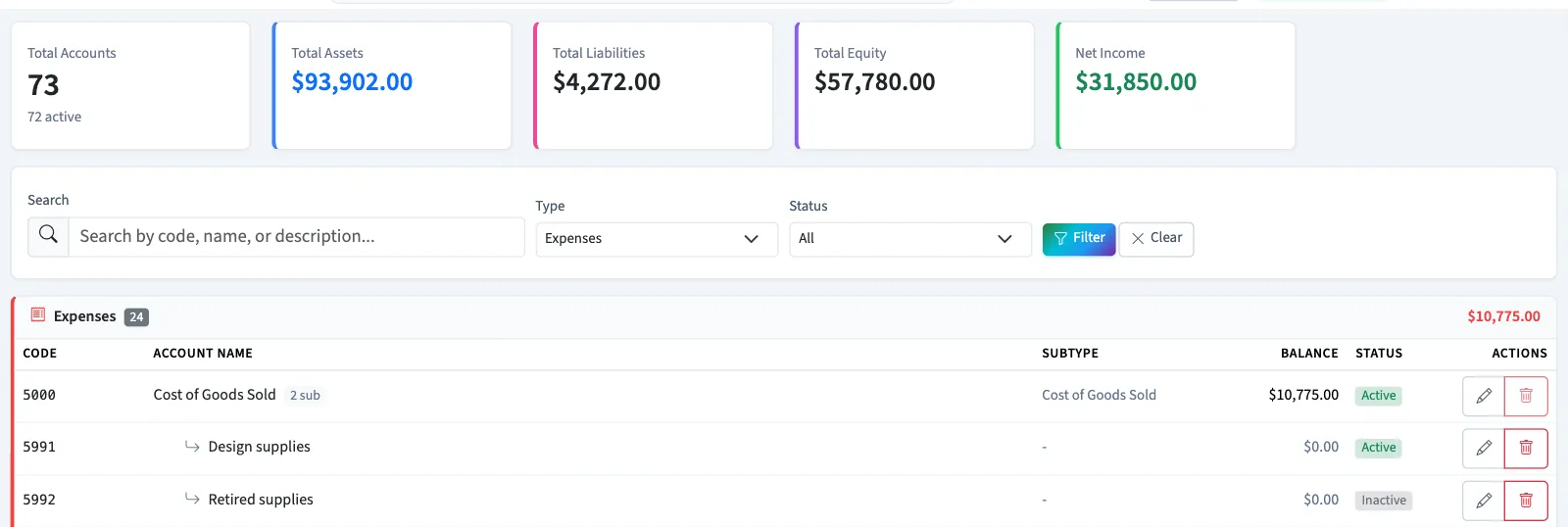
Find an account
Enter a code, name, or part of a description in Search, then select Filter. Search includes sub-accounts and displays matching accounts as individual rows.
To browse by Type or Status, leave Search empty before selecting Filter. These filters apply to top-level accounts; their sub-accounts remain underneath. Select Clear to return to the full chart.
| Status | What it means |
|---|---|
| Active | Available in the manual journal account selector. |
| Inactive | Retained in the chart, but omitted from the manual journal account selector. |
Review an account
Select the account name. Current Balance uses posted entries on that account. Sub-Accounts lists its children separately. Recent Journal Entries shows up to 20 posted lines, most recently created first. Drafts do not appear in this activity. If a balance disagrees with another account screen, contact support before recording a correction.
Select a reference to open its journal entry; you also need journal view access. View All opens the general ledger and requires report access.
Next, add an account, edit or deactivate an account, or review account types and normal balances.