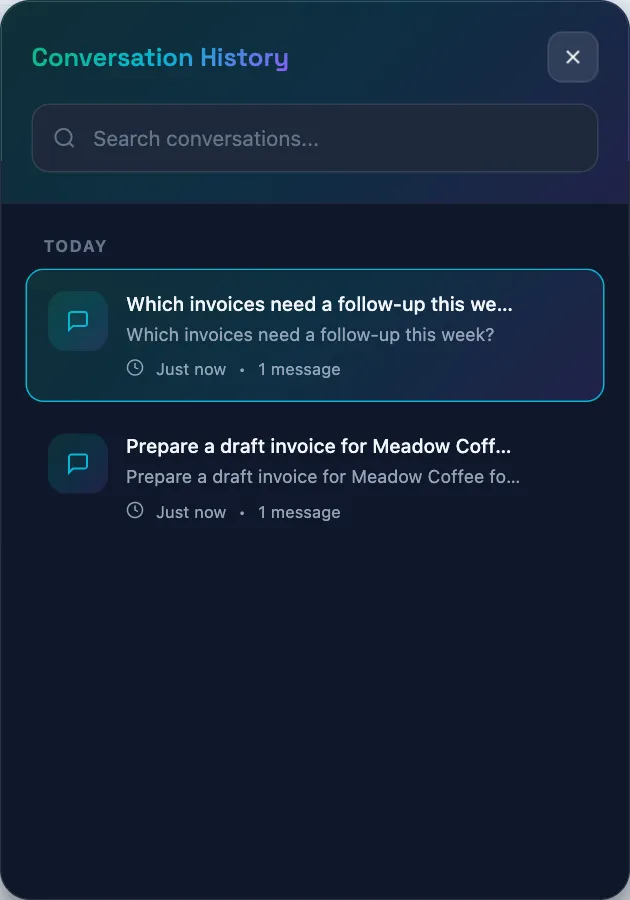
Review your conversations
Reopen a recent Qix conversation, search the displayed history, or delete a conversation.
- Who can do this
- People viewing their own Qix conversations; free viewers cannot delete them
- You'll need
- Qix’s chat window enabled and your own saved conversations
On this page
Qix saves conversations so you can return to a discussion. History belongs to your user in the current business. Other users' conversations are not returned in your history.
Reopen a discussion
- Open Qix.
- Select Conversation history in the header.
- Enter a title or preview phrase in Search conversations... if needed.
- Select a conversation to load its messages and any actions still awaiting your decision.
The widget initially loads your 20 most recently active conversations. Search filters those loaded titles and previews. Archived conversations are excluded from this list; the widget does not offer an archive button.
Select New conversation for another topic. This resets the visible chat without deleting the previous discussion.
Before approving any proposal displayed while reviewing history, check that its task, contact, and amount match what you intend. Leave it unapproved if you cannot confirm those details.
Delete a conversation
- Open Conversation history.
- Select Delete conversation on the relevant row.
- Select Delete in the confirmation dialog.
Deletion removes the conversation from your available history and expires its pending actions. It does not reverse invoices, payments, or other actions already executed. See the privacy guide for the public policy on cleanup and retention.
Qix can make mistakes. When returning to an old answer, ask for current figures if records may have changed and review any new proposal.
Continue with Ask Qix a question.