
Review your integrations
Check Stripe, bank feed and email sending connections from your business settings.
- Who can do this
- Business owners
- Where
- Settings, then Integrations
On this page
Use Integrations to see the services connected to the business you have open. Only business owners can open this page.
Open the connections page
- Open Settings.
- Select Integrations under Connections.
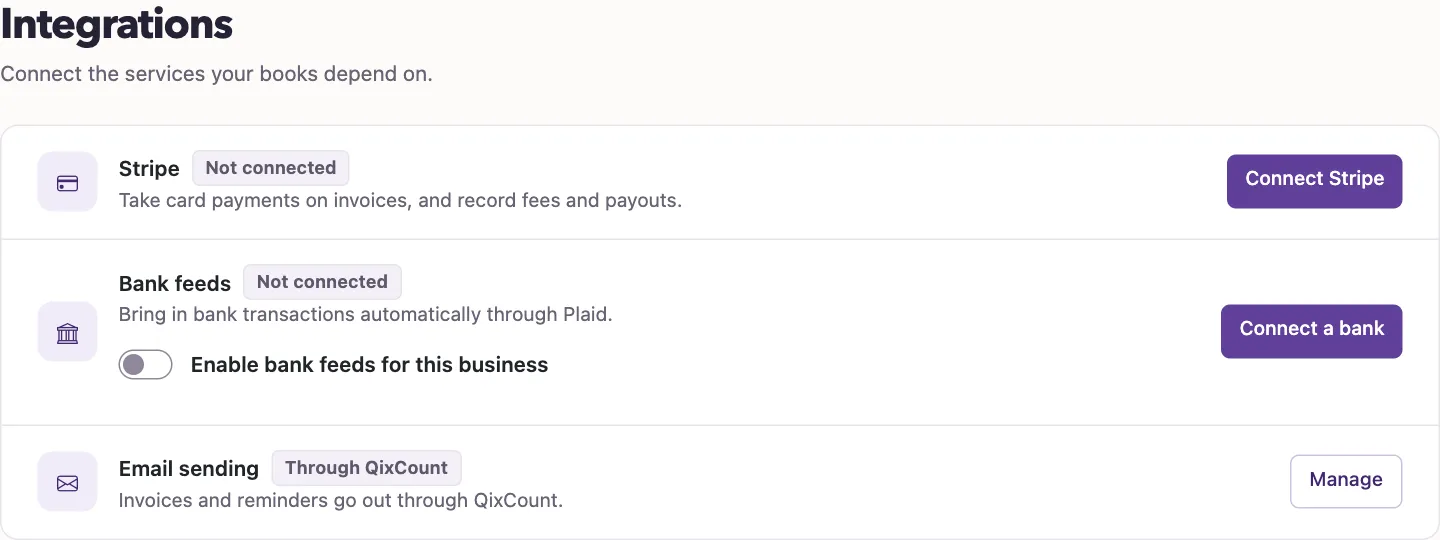
The page contains three cards:
| Card | What you can check or open |
|---|---|
| Stripe | Select Connect Stripe or Manage Stripe to open the Stripe connections page. |
| Bank feeds | Check the Plaid connection status. Select Connect a bank to open Bank accounts, if you have access to that page. |
| Email sending | See Own mail server when your business has its own mail configuration, or Through QixCount otherwise. Owners can select Manage to open email sending settings. |
Read a connection status
| Status | Meaning |
|---|---|
| Connected | At least one connection is active and none of the checked connections needs attention. |
| Needs attention | Stripe has an error or disconnected connection, or a bank feed connection has expired or has an error. This can appear even when another connection is active. |
| Not connected | There is no active connection and no connection in one of those attention states. |
To change the business's bank feed setting, change Enable bank feeds for this business, then select Save changes. The switch controls whether Plaid is enabled for this business; the displayed status describes its saved connections.
For the card payment setup, continue to Connect Stripe. For the difference between payment records and bank settlements, read How Stripe works in QixCount.