
Review the trial balance
Compare debit and credit account balances through a selected date.
- Who can do this
- Owners, or people with View financial reports
- Where
- Reports, then Trial balance
On this page
The General trial balance lists accounts with posted debit or credit activity through a selected date, including inactive accounts. Nonprofit keeps its active-account selection. Debits and credits are the two sides of an accounting entry. This report shows each account's remaining balance on one side.
Generate the report
- In General, open Reports. In Nonprofit, use Other reports under Nonprofit, Reports, or the shared Reports group when shown.
- Select Trial balance.
- Enter As of Date.
- Select Generate.
The default date is today. The report includes posted entries through the selected date, including closing entries. An account with activity can remain listed even when its net balance is zero.
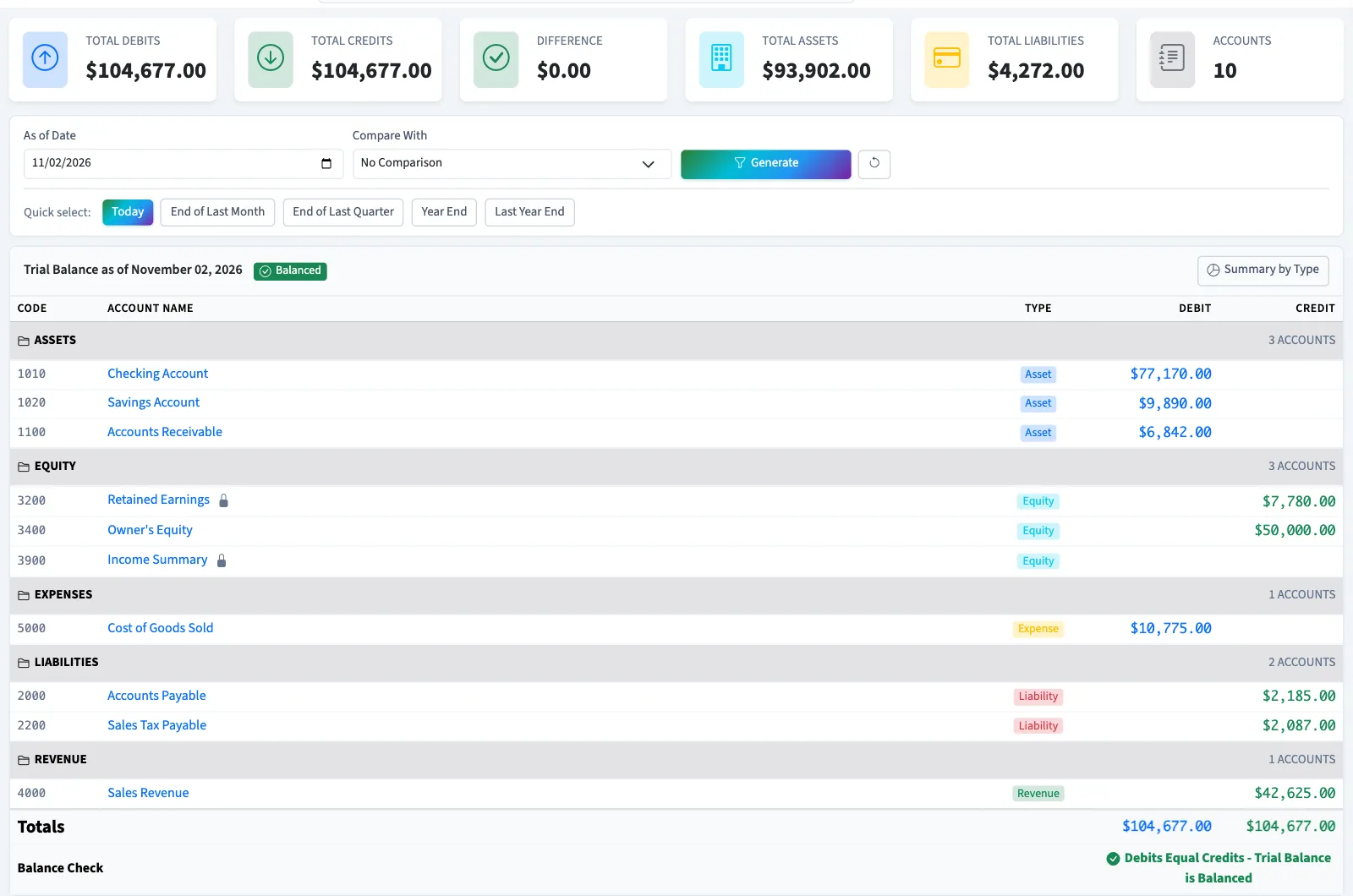
Check the balances
| Label | Meaning |
|---|---|
| Total Debits | Total of the account balances on the debit side. |
| Total Credits | Total of the account balances on the credit side. |
| Difference | Absolute difference between those totals. |
| Accounts | Number of included accounts. |
| Balanced | Debit and credit totals are equal to the cent. |
| Out of Balance | Debit and credit totals differ. |
Select Summary by Type to expand totals for assets, liabilities, equity, revenue and expenses. A balanced report confirms equal totals for the accounts included; it does not verify that each entry uses the correct account.
If you see No Data Available, there is no included posted activity through the selected date. Changing the date does not post draft entries.
Compare dates
Compare With offers Previous Month and Previous Year. Each account row then shows its earlier debit and credit and the change, and the totals row shows the earlier totals. General rows include inactive accounts with posted activity as well as active ones, even when their net balance is zero.
What happens next
Select Analyze for Qix's explanation of the generated trial balance. Use the general ledger to inspect one account's entries, or export the report.
Good to know
You need View financial reports permission, or owner access.