
Read auto-reconciliation statistics
Understand automatic matching totals, review counts and learned-pattern statistics.
- Who can do this
- Owners, or people with Perform reconciliation; opening All reports also needs View financial reports
- Where
- Reports, then All reports
On this page
This page summarizes automatic bank matching and the patterns learned from reviews. You need Perform reconciliation permission, or owner access. Permission to view financial reports alone does not open this page.
Open the statistics
- Open Reports.
- Select All reports.
- Select Auto-reconciliation statistics in Reconciliation.
This directory also needs View financial reports permission.
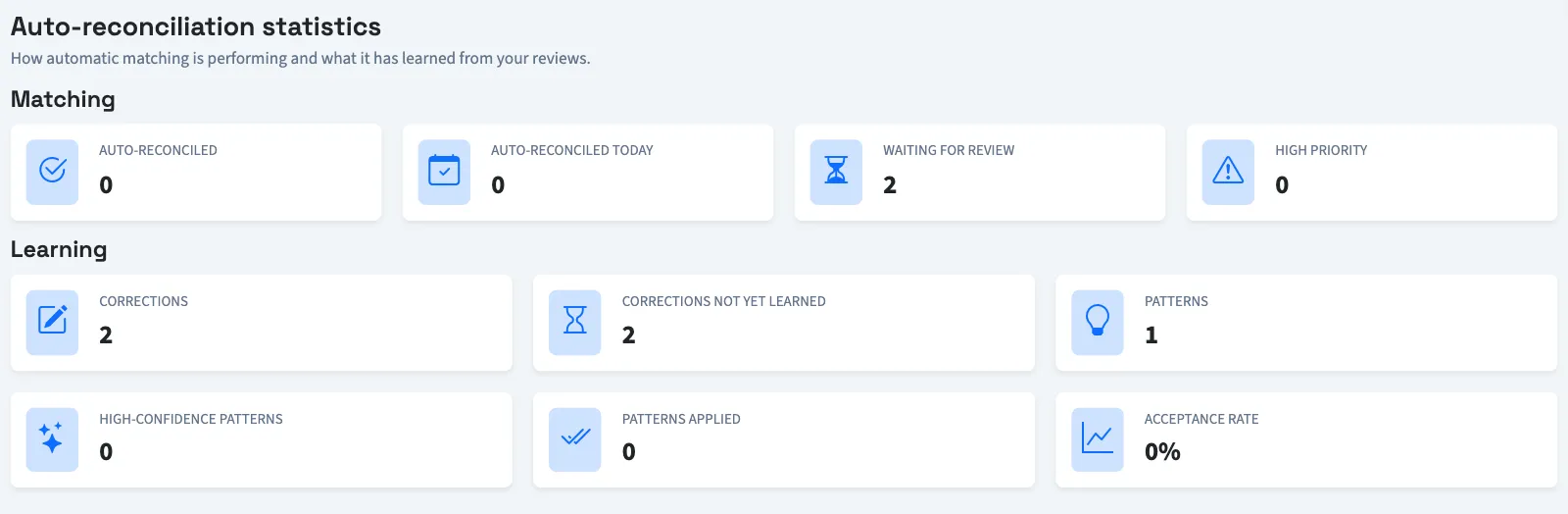
Read the matching counts
| Label | What it counts |
|---|---|
| Auto-reconciled | Bank transactions marked as automatically reconciled. |
| Auto-reconciled today | Those transactions whose automatic-reconciliation date is today. |
| Waiting for review | Transactions requiring human review with no recorded exception resolution. |
| High priority | Unresolved transactions requiring review with high or critical priority. |
These counts cover the business, rather than a selected account. The page has no date-range or account filter.
Read the learning figures
| Label | Meaning |
|---|---|
| Corrections | Recorded reconciliation corrections. |
| Corrections not yet learned | Corrections not yet marked as learned. |
| Patterns | Stored merchant patterns. |
| High-confidence patterns | Patterns with a confidence value of at least 80. |
| Patterns applied | Recorded pattern applications. |
| Acceptance rate | Accepted applications divided by applications with a recorded outcome, shown as a percentage. |
When no applications have an outcome, the acceptance rate is zero. The percentage does not use every application in Patterns applied, so the two figures need not move together.
What happens next
Opening the statistics does not resolve an item waiting for review. For a broader view of unfinished bank work, use the reconciliation status and aging reports.