Review bank reconciliation reports
Check reconciliation progress, outstanding bank transaction ages and recorded reconciliation actions.
- Who can do this
- Owners, or people with View reconciliations and View financial reports
- Where
- Reports, then All reports
On this page
Review outstanding transaction ages
- Select Reconciliation aging from All reports.
- Select Bank Account, or leave All Accounts selected.
- Select Update Report.
This report includes bank transactions whose status is pending or cleared. It groups their age from transaction date to now into 0–7, 8–15, 16–30, 31–60, 61–90 and more than 90 days.
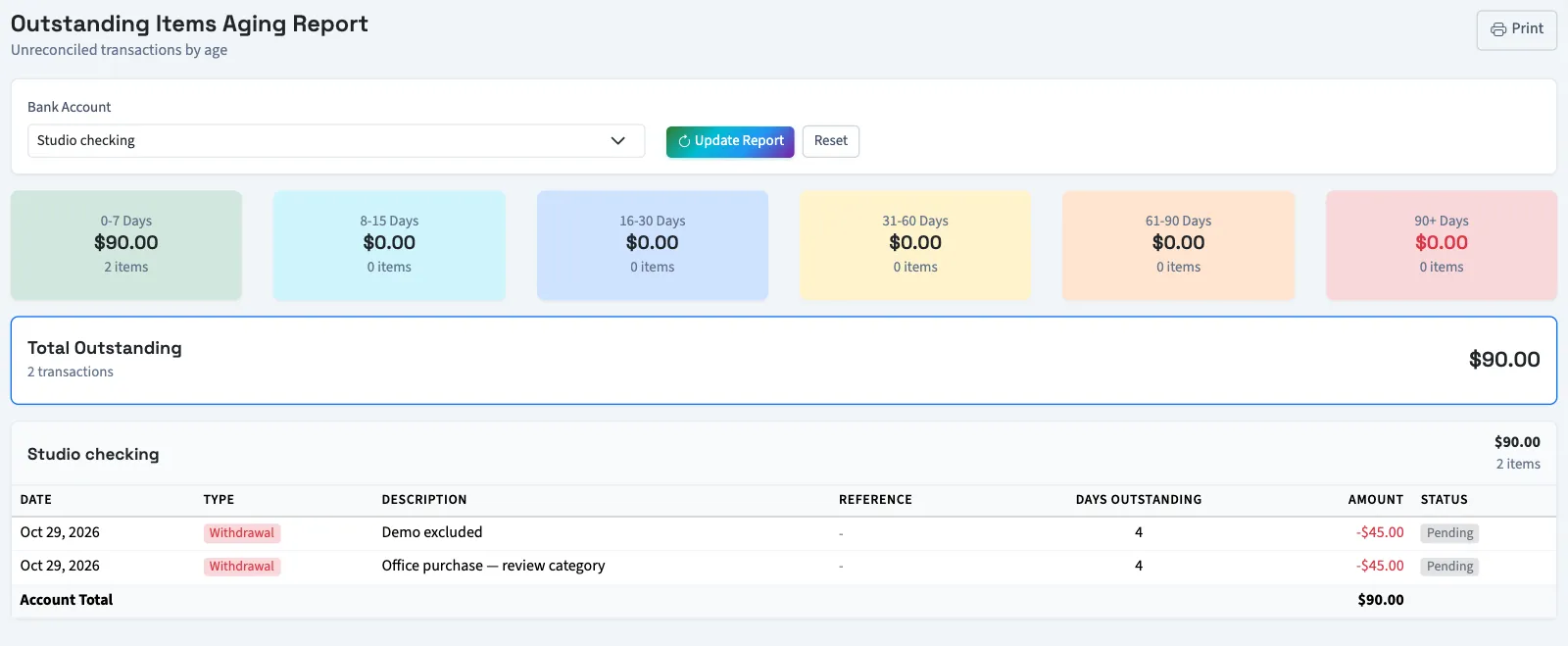
Total Outstanding adds the absolute amounts of included transactions. Withdrawals and deposits both increase this total; it is not a net bank balance. The detail table shows each item's date, type, description, reference, age and status.
Find recorded reconciliation actions
- Select Reconciliation history from All reports.
- Select Bank Account if needed.
- Enter From Date.
- Enter To Date.
- Select Action Type if needed.
- Select Search.
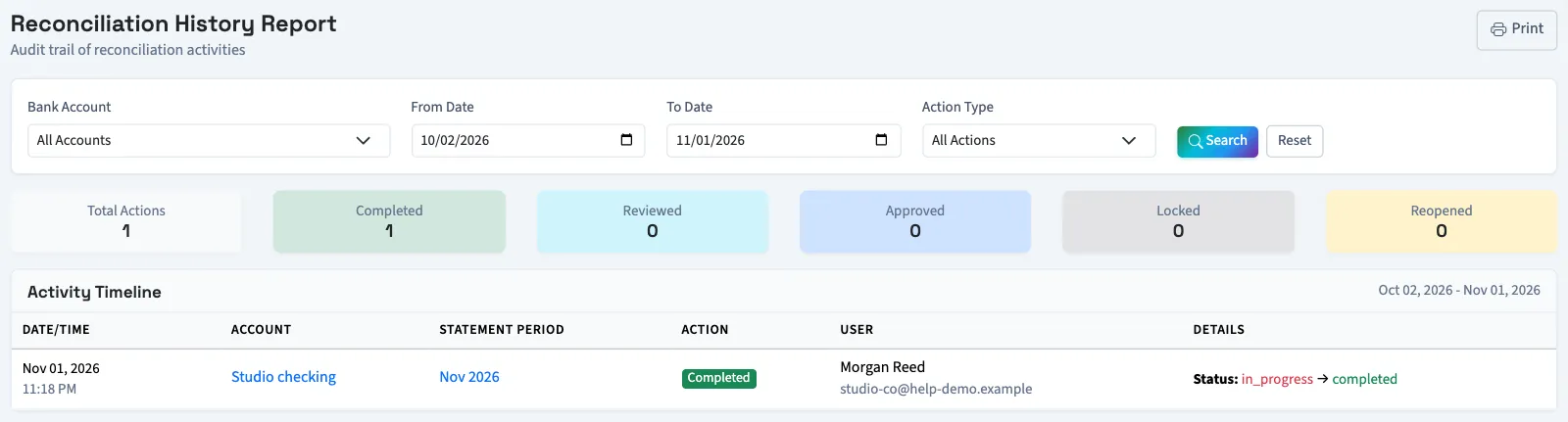
The default range is the past 30 days through today. Dates filter when the action occurred, including both days. The newest actions appear first. The timeline shows the account, statement period, action, recorded user and available change details or notes. Summary counts reflect your filtered results.
What happens next
Select Print on any of these reports to print it. To review the underlying matching work, reconcile an account. For automatic matching counts, see Auto-reconciliation statistics.
Good to know
These reports show the progress and recorded history of matching your bank records. You need View reconciliations permission, or owner access. Continuing a reconciliation, starting one and approving one require their separate action permissions.
Open Reports, then select All reports. In Reconciliation, select the report you need. This directory also needs View financial reports permission.
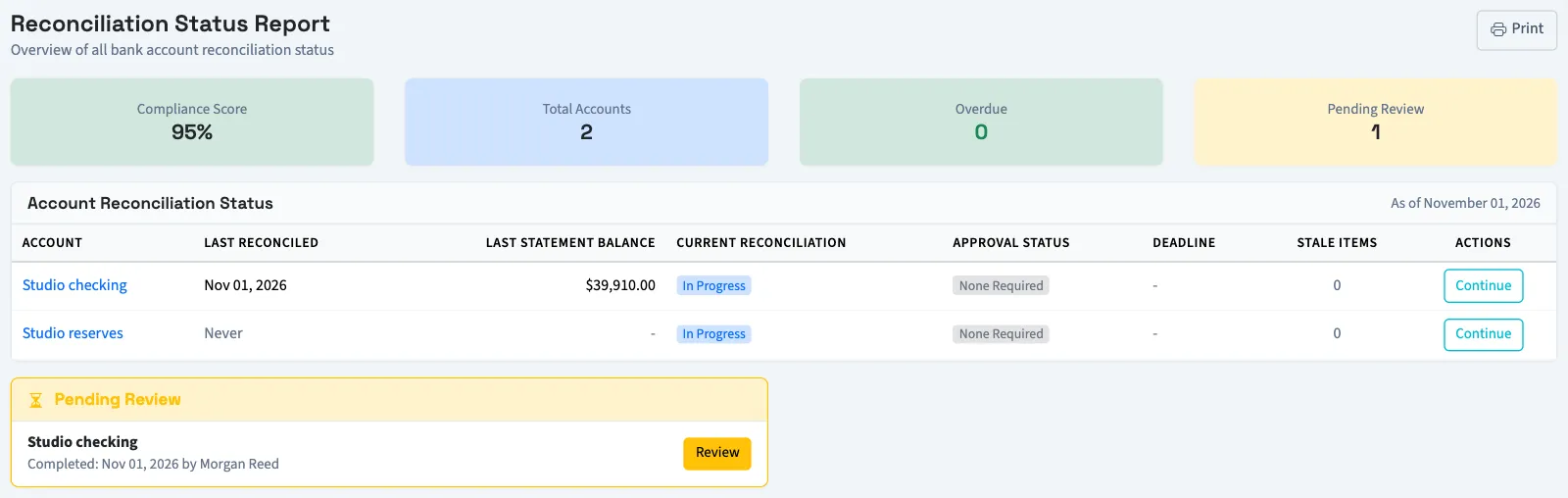
Check each account's progress
Select Reconciliation status to review active bank accounts. The table shows the latest completed statement date and balance, the latest reconciliation, approval status, deadline and stale-item count.
| Status | Meaning |
|---|---|
| In Progress | A reconciliation has started and is not completed. |
| Completed | The reconciliation is completed; approval appears separately. |
| Not Started | No in-progress or completed reconciliation was found for the account. |
| Overdue | An in-progress reconciliation is past its deadline. |
Compliance Score is QixCount's calculated indicator. It starts at 100 and deducts points for overdue reconciliations, pending reviews and stale items. It does not certify an account or verify the books. Pending Review counts reconciliations awaiting review. Stale items are pending or cleared transactions older than your configured stale-item threshold.