
Understand your plan
Compare current plans and find the subscription terms accepted for your business.
- Who can do this
- Anyone comparing plans
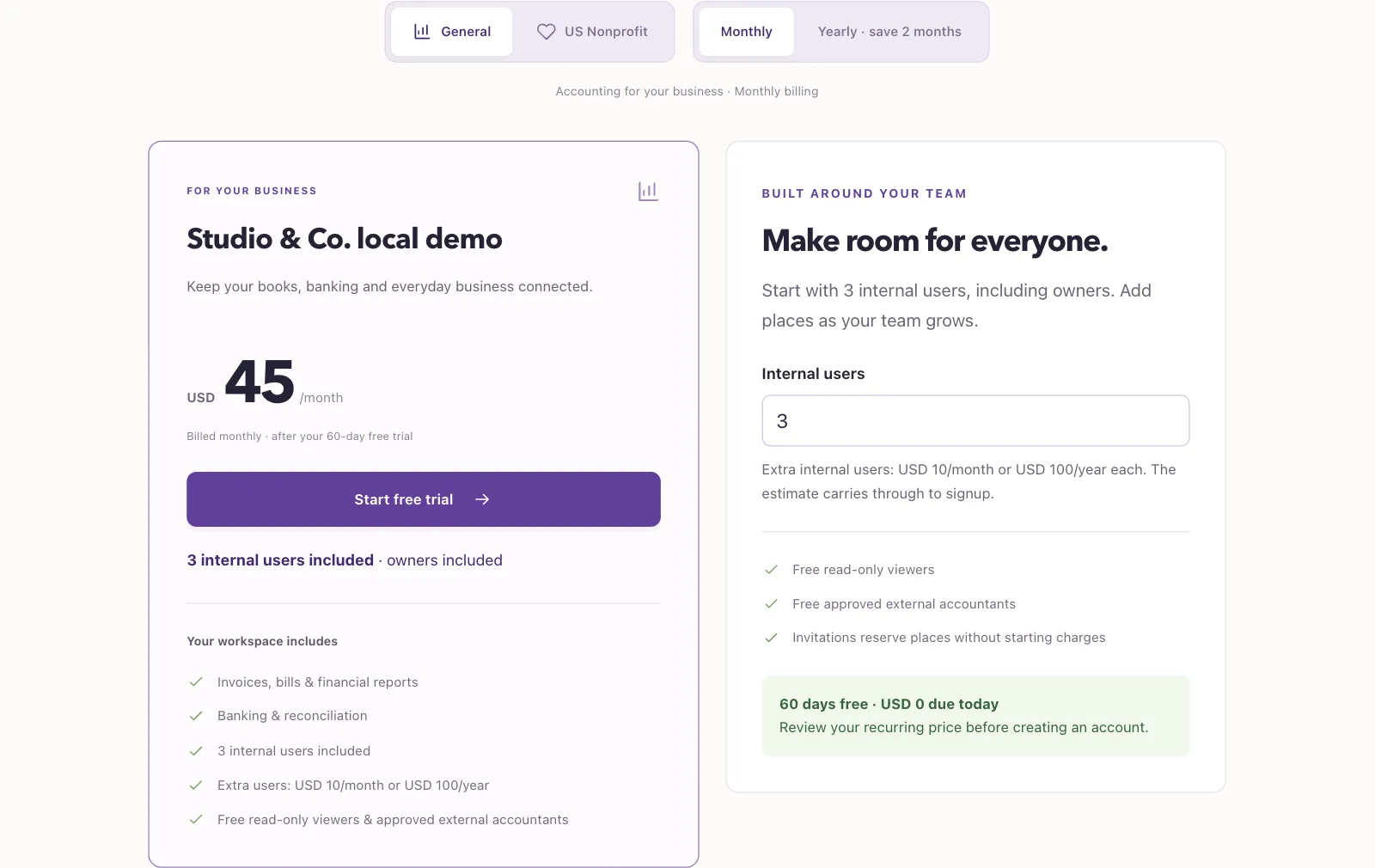
QixCount has plans for General and Nonprofit accounting. The available plans, trial length and current prices appear on the public pricing page. Your existing subscription can have different accepted terms.
Compare available plans
- Open the public pricing page.
- Select General or US Nonprofit.
- Select monthly or yearly billing.
- Enter the number of Internal users to see the team price, where user pricing applies.
Owners count as internal users. Read-only viewers and approved external accountants with named assignments are free under user-pricing terms. The page shows the included features and any listed limits. If no plan is available for your accounting type, select Contact our team.
Check your accepted terms
Only a business owner can open the business billing settings. The page also requires Manage business settings, roles & permissions permission.
- Open Settings in your business.
- Select Plan & billing.
- Review Your plan for your accounting type, billing cycle, plan name and recurring amount.
- Review User places for occupied, reserved and available capacity.
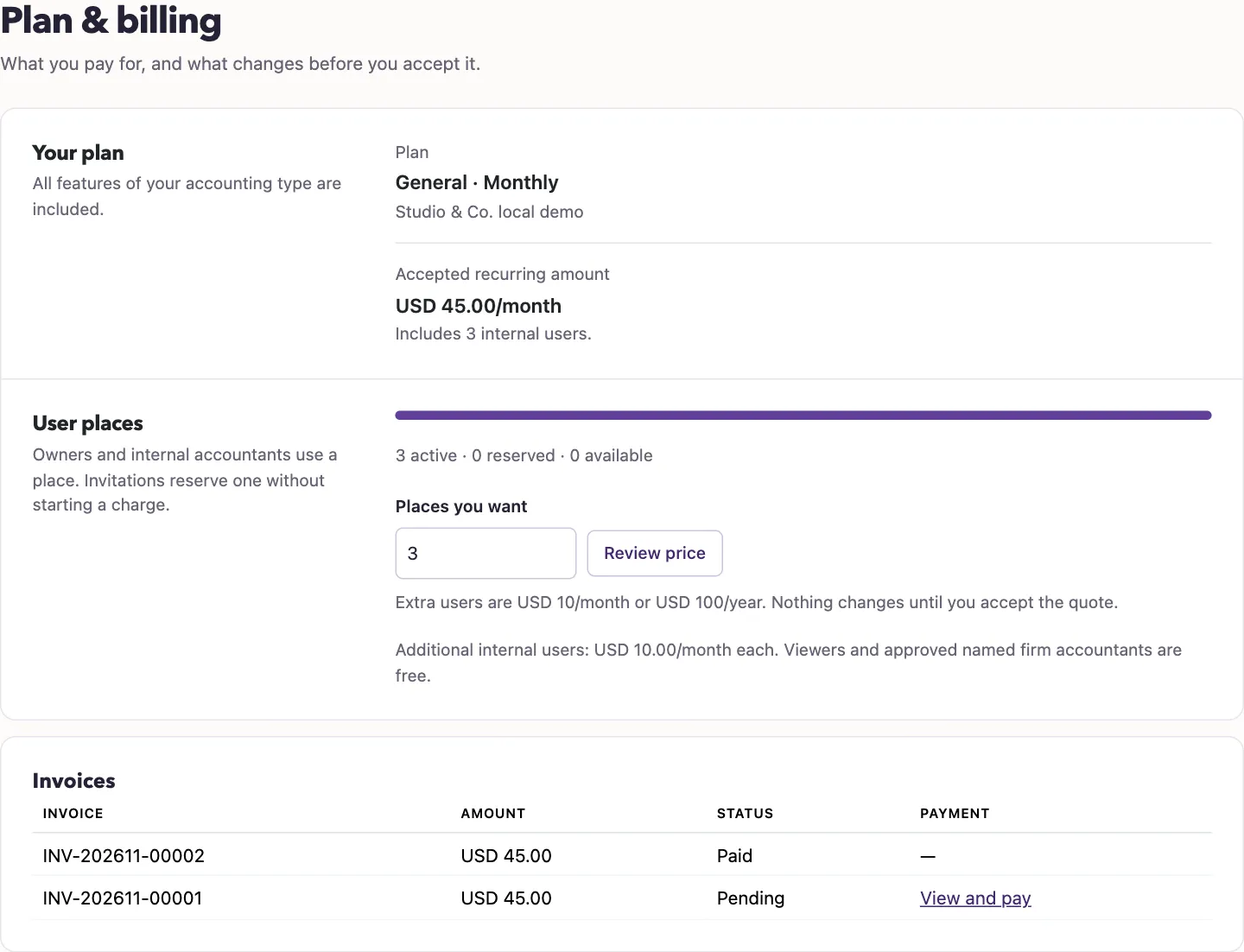
During a trial, After your trial shows the accepted recurring amount. Otherwise, the amount is labeled Accepted recurring amount. The page also lists subscription invoices and any pending user changes.
Continue with Your trial, Change user places, or Change your plan or billing cycle.