
Import vendors
Add vendor contact details from CSV and understand duplicate and approval handling.
- Who can do this
- Owners, or people with Create vendors
- Where
- Books, then Import data
- You'll need
- A CSV file up to 5 MB with at most 5,000 data rows and a name for each vendor
On this page
Import vendors before importing their unpaid bills. General and Nonprofit support this list import. Owners can import; other active users need Create vendors. Opening the vendor list afterward needs View vendors.
Upload and commit
- Open Books, then Import data.
- Select Vendors.
- Select Download CSV template.
- Prepare and save the CSV.
- Choose CSV file.
- Select Upload and review.
- Check column matches, duplicates and errors.
- Select Commit import when every error is resolved.
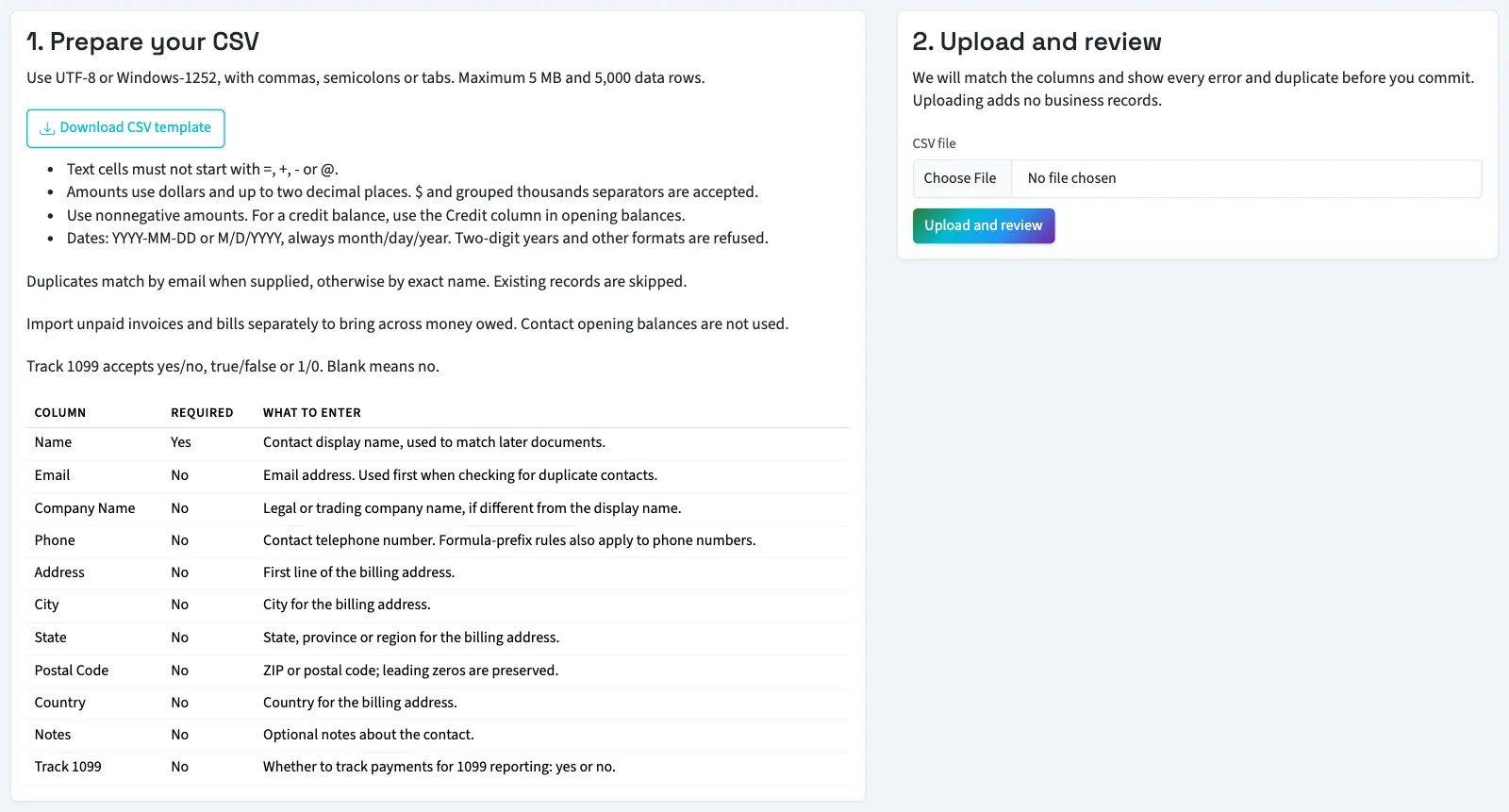
Follow the file and review rules. Any bad row blocks the file; correct row data in a new upload.
What happens next
Existing vendors match by email when supplied, without regard to capitalization; otherwise by exact display name. Duplicates are skipped without changes. Imported vendors are active. If a configured vendor approval workflow applies, new vendors are submitted for approval; otherwise they are marked approved. Importing does not bypass that vendor workflow.
Use add or edit a vendor for remaining details. In General, continue with open bills to bring across unpaid amounts. Nonprofit needs support to plan its opening ledger.
Good to know
Prepare vendor columns
| Column | Required | What to enter |
|---|---|---|
| Name | Yes | Vendor display name. |
| No | Valid email address. | |
| Company Name | No | Company name if different. |
| Phone | No | Telephone number. |
| Address | No | First line of the billing address. |
| City | No | Billing city. |
| State | No | Billing state or region. |
| Postal Code | No | ZIP or postal code. |
| Country | No | Billing country. |
| Notes | No | Notes, up to 1,000 characters. |
| Track 1099 | No | yes/no, true/false or 1/0; blank means no. A vendor imported with yes needs a Tax ID before the vendor form can be saved. |
Phone allows 50 characters; City, State and Country allow 100 each; Postal Code allows 20. Other mapped text allows 255 characters. The tracking value controls QixCount's saved tracking choice; this guide does not determine a vendor's tax treatment. Tax identification details and vendor opening balances are not imported through these columns.