
Import customers
Add customer contact records from CSV without importing their opening balances.
- Who can do this
- Owners, or people with Create customers
- Where
- Books, then Import data
- You'll need
- A CSV file up to 5 MB with at most 5,000 data rows and a name for each customer
On this page
Import customer contact details before importing their unpaid invoices. This works in General and Nonprofit. Owners can import; other active users need Create customers. Viewing the customer list afterward needs View customers.
Upload and commit
- Open Books, then Import data.
- Select Customers.
- Select Download CSV template.
- Fill the template and save it as CSV.
- Choose CSV file.
- Select Upload and review.
- Check the column mapping and every row result.
- Select Commit import after all errors are resolved.
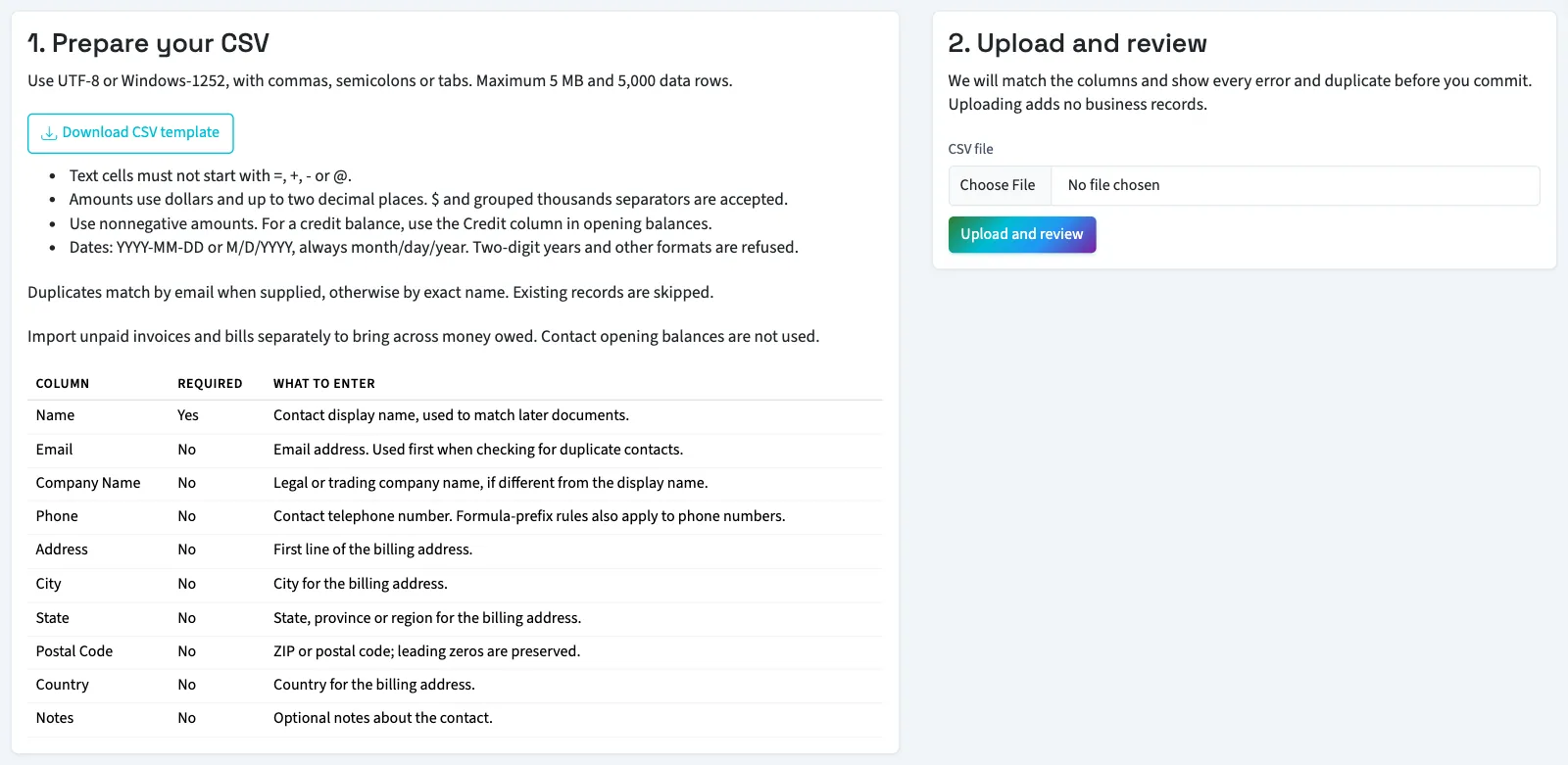
Read prepare and review a CSV for file limits and mapping corrections. A bad row blocks the entire file. To correct row contents, upload a corrected CSV.
What happens next
New customers are active. A supplied email matches existing customer emails without regard to capitalization. Without an email, matching uses the exact display name. Duplicate records are skipped, not updated. Customer and vendor lists are checked separately.
Check the added and skipped counts before uploading again. Repeating a file is not a way to edit existing customers. Use add and edit a customer for changes or fields outside this template.
Next, import vendors. In General, bring money owed by customers through open invoices, rather than a customer balance column.
Good to know
Prepare customer columns
| Column | Required | What it adds |
|---|---|---|
| Name | Yes | Customer display name. |
| No | Valid email address; used first for duplicate matching. | |
| Company Name | No | Company name separate from the display name. |
| Phone | No | Telephone number. |
| Address | No | First line of the billing address. |
| City | No | Billing city. |
| State | No | Billing state or region. |
| Postal Code | No | ZIP or postal code. |
| Country | No | Billing country. |
| Notes | No | Up to 1,000 characters of notes. |
Phone allows 50 characters; City, State and Country allow 100 each; Postal Code allows 20. Other mapped text fields allow up to 255 characters. Shipping addresses, payment terms and customer opening balances are not columns in this import.