
Enter opening balances
Import the remaining General trial balance after open invoices and bills, then review the opening journal.
- Who can do this
- Owners, or people with Create journal entries and Post journal entries
- Where
- Books, then Import data
- You'll need
- General edition and the remaining trial balance after importing open documents
On this page
Upload and post
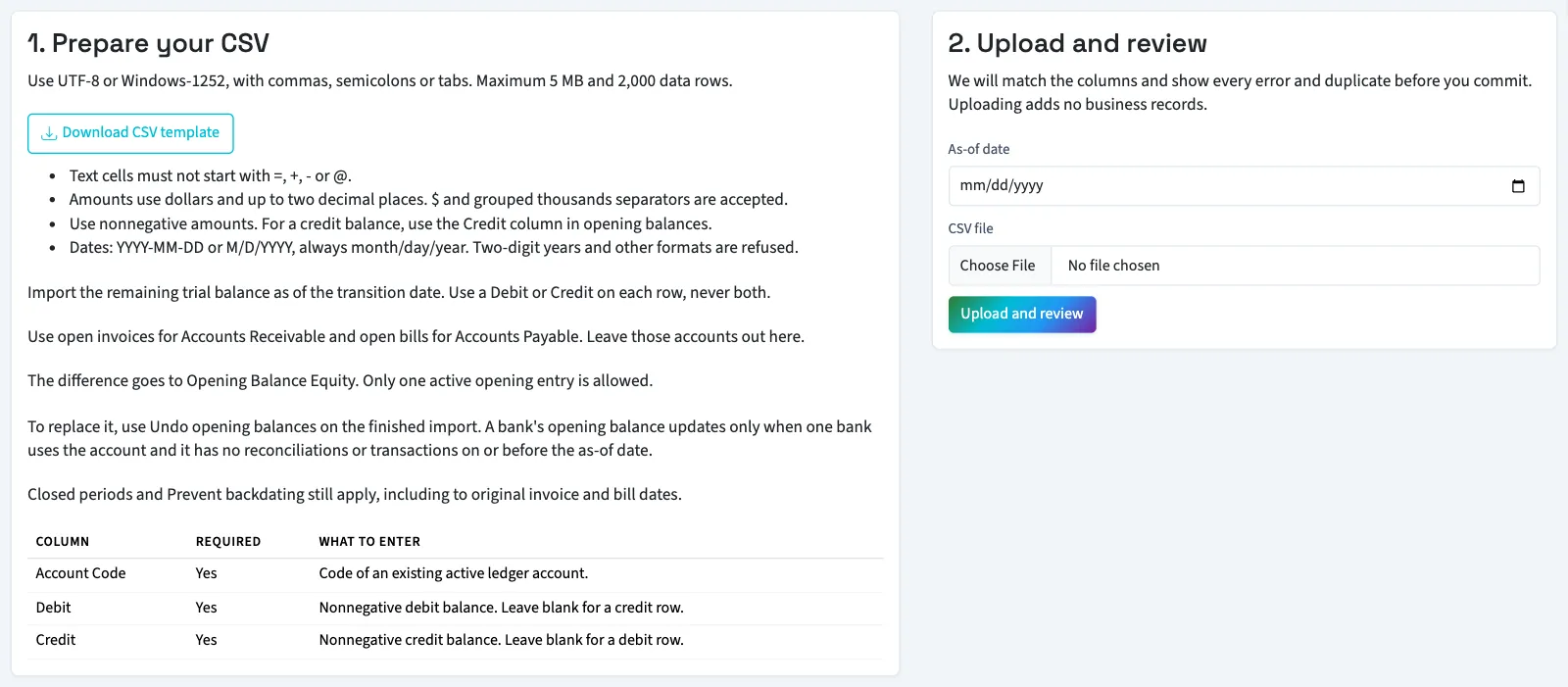
- Open Books, then Import data.
- Select Opening balances.
- Download and fill the template.
- Enter As-of date for the transition date.
- Choose CSV file.
- Select Upload and review.
- Review every account and amount.
- Select Commit import when there are no errors.
- Select View opening journal to inspect the posted entry.
What happens next
WarningCommitting posts a journal on the as-of date. Its difference goes to Opening Balance Equity. Closed or locked periods and the backdating limit can prevent posting.
Each account can appear once in the file. A row for Accounts Receivable, Accounts Payable, an account under them, or a trade receivable or payable account is refused, because open invoices and bills supply those balances. Interest receivable and notes payable are ordinary accounts.
A linked bank’s opening balance updates only when exactly one bank uses the account, it has no reconciliations, and it has no bank transactions on or before the as-of date. Otherwise, the review shows a warning and that bank’s opening balance stays unchanged. Review the warning before committing; the journal can still post without resetting that bank balance.
Undo and replace opening balances
Only one active opening-balance import entry is allowed. To replace it:
- Open Books, then Import data.
- Select the completed opening file in Import history.
- Select Undo opening balances.
- Confirm the action.
- Upload and review the corrected opening file.
Undo posts the inverse journal on the original as-of date and marks the import undone. You need the opening import permissions and Reverse posted entries to do this. Posting rules still apply, so a closed or locked period or backdating restriction can block it. Undo also restores any bank opening balance the import changed. If one of those banks has been reconciled since, Undo is refused until that reconciliation is undone, so the bank and the ledger stay together. Undo is also refused while the fiscal year containing the as-of date is closed, so reopen the year first. Undo does not remove imported invoices or bills. Reversing the opening journal from the journal page has the same effect as Undo.
After Undo, the corrected file can use an earlier or later as-of date. If an older opening journal was reversed on a date after its own, it still counts in reports until that date, so a replacement as-of date before that reversal is blocked. Review those dates with your accountant or contact support.
Next, check the opening numbers and equity balance.
Good to know
Use this General import for the remaining trial balance after importing accounts, contacts and unpaid invoices and bills. Owners can import; other active users need both Create journal entries and Post journal entries. A file that sets a linked bank's opening balance also needs Edit bank transactions. Viewing the posted journal needs View journal entries. Nonprofit opening ledger imports are blocked; contact support to plan its opening records.
Prepare the remaining balances
Have your accountant identify the balances for your transition date. Leave Accounts Receivable and Accounts Payable out: those amounts come from the open documents. The importer blocks their recognized account types and codes 1100 and 2000. Also leave out Opening Balance Equity; QixCount calculates its balancing line.
| Column | Required | What to enter |
|---|---|---|
| Account Code | Yes | Code of an existing active account. |
| Debit | Yes | Nonnegative debit balance, or blank for a credit row. |
| Credit | Yes | Nonnegative credit balance, or blank for a debit row. |
Both amount columns must be mapped, but individual cells can be blank. Do not put positive amounts in both cells on one row. Amounts allow at most two decimal places, and the file needs at least one nonzero balance. Use a credit column rather than a negative debit.